
How to Build Your First AI-Powered Workflow Without Coding

TL;DR:You don't need coding skills to build AI-powered workflows. By combining AI tools with simple, repeatable processes, students, professionals, and entrepreneurs can automate routine tasks, save time, and improve productivity. The key is moving beyond one-off prompts and learning how to design workflows that solve real problems. With hands-on practice and structured learning, anyone can progress from using AI tools to creating meaningful AI-powered solutions.
Imagine this.
You finish a lecture, copy your notes into an AI tool, and instantly get a summary, practice questions, and a study plan.
Or perhaps you're a sales professional who uploads meeting notes and receives a follow-up email draft in seconds.
A few years ago, building something like this would have required programming skills. Today, it can be done with tools that understand natural language and require little to no coding.
The real shift is not that AI has become easier to use. It's that people from different backgrounds can now build workflows that automate repetitive work, support better decisions, and improve productivity.
If you're wondering whether you can create AI-powered solutions without knowing how to code, the answer is yes. The key is understanding how AI workflows work and how to design them around problems worth solving.
The biggest misconception about AI workflows
One reason many people hesitate to explore AI is the belief that it is only for developers, engineers, or data scientists.
But AI is increasingly becoming a productivity tool for everyone.
Students use it to organize learning.
Professionals use it to save time.
Entrepreneurs use it to streamline operations.
The ability to build AI workflows is no longer tied to coding expertise. Instead, it starts with understanding a process and identifying where AI can add value.
Think about tasks you perform repeatedly:
- Summarizing research
- Drafting emails
- Organizing information
- Preparing reports
- Analyzing feedback
These are all areas where AI can help, even if you've never written code.
What is an AI-powered workflow?
An AI-powered workflow is a sequence of steps where AI helps complete a task more efficiently.
The structure is often simple:
Input to AI Processing to Output
For example:
| Input | AI Action | Output |
| Lecture notes | Summarizes content | Study guide |
| Meeting transcript | Extracts key insights | Meeting summary |
| Customer feedback | Identifies trends | Insights report |
| Product information | Generates content | Marketing copy |
Unlike a one-time AI prompt, a workflow follows a process that can be repeated consistently whenever needed.
The value comes from the workflow, not just the tool.
AI agents vs. AI workflows: what's the difference?
As AI becomes more mainstream, you'll often hear the terms AI workflow and AI agent.
An AI workflow follows predefined steps.
For example:
- Upload a document
- AI summarizes it
- AI creates an action list
- AI drafts an email
An AI agent is more autonomous. It can make decisions, select actions, and adapt based on the situation.
For beginners, workflows are the ideal starting point because they are easier to understand and build. In many cases, the most effective AI solutions begin as simple workflows before becoming more sophisticated over time.
How to create your first AI workflow?
Many first-time users assume building an AI workflow will be complicated.
In reality, the simplest workflows can be created in less time than it takes to attend a meeting.
Step 1: Choose One Repetitive Task
Start small.
Ask yourself:
- What task do I do every week?
- Which activity feels repetitive?
- Where do I spend time manually organizing information?
Examples include:
- Research summaries
- Meeting notes
- Study materials
- Sales follow-ups
- Content creation
Step 2: Define the Input
What information will AI receive?
Examples:
- Documents
- PDFs
- Spreadsheets
- Articles
- Customer feedback
- Meeting transcripts
Step 3: Let AI Process the Information
Depending on your goal, AI can:
- Summarize
- Categorize
- Analyze
- Generate content
- Extract insights
- Suggest actions
Step 4: Generate a Useful Output
The goal is to create something that saves time or improves quality.
Examples include:
- Email drafts
- Reports
- Study notes
- Presentation outlines
- Task lists
By keeping the process simple, you can create a practical workflow almost immediately and improve it over time.
Which no-code AI tools should beginners start with?
One of the most common questions people ask is which AI tool they should learn first.
The answer depends on what you're trying to accomplish.
| Goal | Useful AI Tools |
| Content creation | ChatGPT, Gemini |
| Research | Perplexity |
| Productivity | Copilot |
| Knowledge assistance | Claude |
| Automation | Make, Zapier |
The most successful users don't focus on mastering every tool.
They focus on solving a problem and choosing the right tool for the job.
As your experience grows, you can combine multiple tools into larger workflows that automate more complex tasks.
How different professionals are using AI workflows today?
AI-powered workflows are no longer limited to technical teams.
Students
Students are creating workflows that:
- Transform notes into summaries
- Generate quizzes
- Build study plans
- Organize research
Sales Professionals
Sales teams are using AI to:
- Research prospects faster
- Draft personalized outreach messages
- Summarize customer conversations
- Create follow-up recommendations
This allows them to spend less time on administration and more time building relationships.
Product Managers
Product managers are leveraging AI to:
- Analyze customer feedback
- Summarize user interviews
- Draft requirement documents
- Organize feature requests
Many of these use cases do not require a development team, making AI more accessible than ever before.
The difference between using AI and building AI-powered workflows
There's an important distinction between simply using AI and using it effectively.
| Using AI | Building AI Workflows |
| One-off prompts | Repeatable processes |
| Individual tasks | Structured systems |
| Occasional productivity gains | Consistent productivity gains |
| Tool-focused | Outcome-focused |
Many people stop at the first stage.
They ask AI questions and generate content.
But long-term value comes from designing workflows that repeatedly solve problems and improve results.
This shift from prompt thinking to workflow thinking is becoming one of the most valuable AI skills.
Also Read: Learning AI vs Using AI: What Most Professionals Get Wrong
Why workflow thinking is becoming an essential AI skill?
As AI adoption accelerates across industries, organizations increasingly value people who can identify opportunities for automation and build practical AI-enabled solutions.
That doesn't mean everyone needs to become a developer.
It means understanding how AI tools work, when to use them, and how to connect them into meaningful workflows.
This is where structured learning can make a difference.
For beginners, one of the biggest challenges is moving beyond experimentation and understanding how AI can be applied consistently in real-world situations.
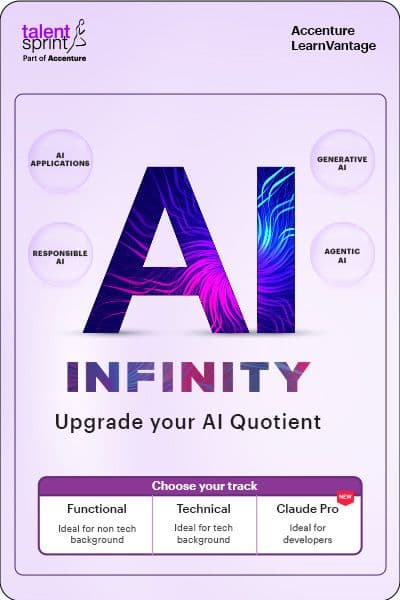
AI Infinity is designed to support this transition by helping learners adopt AI faster through a blend of guided learning and practical application.
- The program includes 40 hours of live learning sessions with AI experts, making AI concepts easier to understand and apply in everyday scenarios.
- Learners also gain hands-on exposure to 20+ AI tools, including ChatGPT, Copilot, Gemini, Claude, and Perplexity, helping them understand how different tools can support productivity, creativity, and automation.
- What makes this especially relevant to no-code workflow creation is its focus on learning by doing.
- Participants work on 12 industry-relevant AI projects and complete 20 skill-based assignments, enabling them to test ideas, build confidence, and explore practical use cases across different domains.
The learning journey is designed for diverse audiences:
- Students and freshers looking to future-proof their careers.
- Working professionals aiming to stay relevant in an AI-driven workplace.
- Career switchers seeking confidence and new opportunities.
- Entrepreneurs and freelancers looking to unlock new possibilities with AI. Recognizing that learners have different goals and backgrounds,
The program offers:
- A Functional Track for non-technical professionals who want to use AI tools to simplify, accelerate, and scale their everyday work.
- A Technical Track for those interested in designing, deploying, and managing AI systems.
- A Claude Pro Track for developers exploring workflow automation and enterprise-scale AI engineering practices.
Combined with self-paced resources and extended access to learning content, the program helps learners continue building their AI capabilities even after the live sessions conclude.
Also Read: How AI Works: AI Techniques and What Contributes to AI Development
Your first workflow is just the beginning
The first AI workflow you build might be simple.
It could summarize notes, draft emails, organize research, or automate a routine task.
But the bigger opportunity lies in what happens next.
As AI becomes a core part of learning and work, individuals who understand how to design workflows, automate processes, and apply AI effectively will be better equipped to create value in any field.
The good news is that you don't need coding expertise to get started.
You simply need curiosity, a willingness to experiment, and the mindset to look at everyday problems through the lens of automation. Your first workflow may save a few minutes today, but the skills you develop could open the door to entirely new ways of learning, working, and innovating tomorrow.
Frequently Asked Questions
Q1. Can I build an AI-powered workflow without any coding experience?
Yes. Many modern AI tools use simple, natural-language instructions and visual interfaces, making them accessible to non-technical users. By identifying a repetitive task and combining the right AI tools, students and professionals can create practical workflows without writing code.
Q2. What is the easiest AI workflow a beginner can build?
One of the simplest AI workflows is turning notes, documents, or meeting summaries into actionable outputs. For example, you can upload notes, ask AI to summarize them, and generate a study guide, email draft, or task list in minutes.
Q3. How can I learn to build better AI workflows over time?
Start with small automation tasks and gradually experiment with different AI tools and use cases. Structured learning, hands-on projects, and real-world practice can help you move beyond basic prompting and develop the skills needed to design effective AI workflows.
About the Author
TalentSprint
TalentSprint, Part of Accenture LearnVantage, is a global leader in building deep expertise across emerging technologies, leadership, and management areas. With over 15 years of education excellence, TalentSprint designs and delivers high-impact, outcome-driven learning solutions for individuals, institutions, and enterprises. TalentSprint partners with leading enterprises and top-tier academic institutions to co-create industry-relevant learning experiences that drive measurable learning outcomes at scale.
Explore Our Programme
Advance your career with the right program